

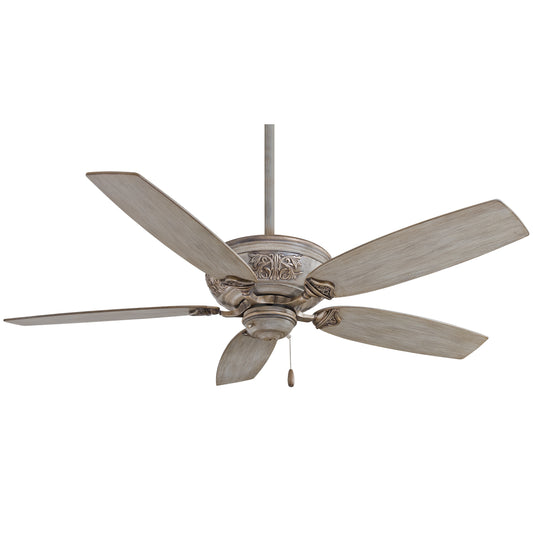

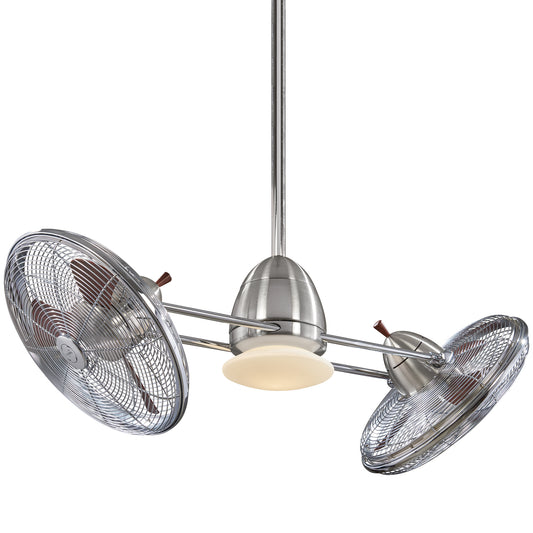

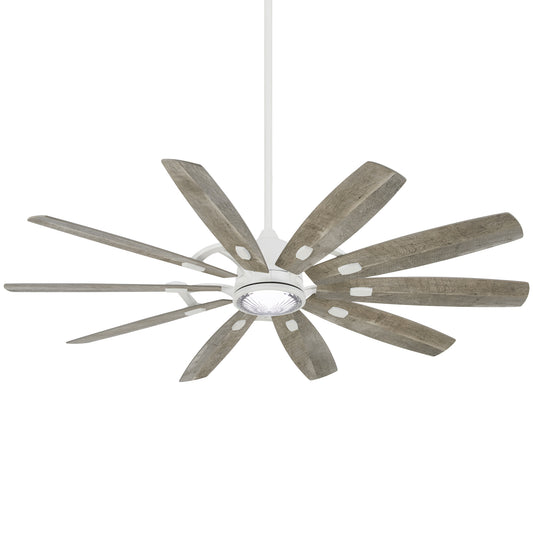

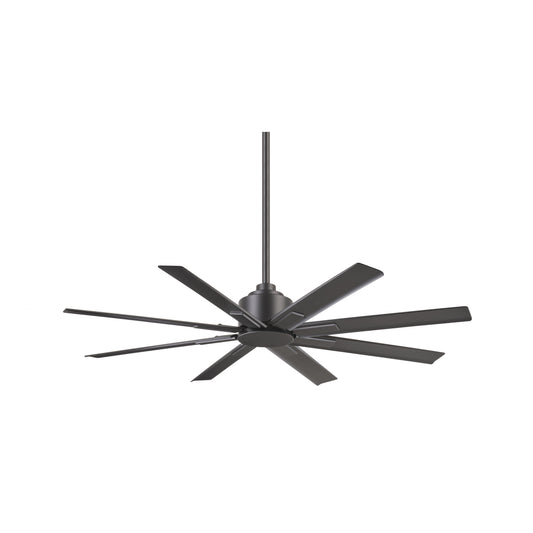







Ceiling Fans With Remote Control: Comfort Tips
Updated on: July 15, 2026
A ceiling fan with remote control makes comfort easier to dial in from anywhere in the room. With simple speed changes, you can reduce hot spots, improve air circulation, and stay comfortable during different seasons. Many models also include light control or smart-style features, so you can manage both airflow and ambience. If you want a cleaner look and less effort than wall switches, this upgrade is a smart choice for living rooms, bedrooms, and covered outdoor areas.
Table of Contents
- 1. Common Challenges
- 2. Why Remote-Control Ceiling Fans Feel Better Day One
- 3. Features to Look for in Ceiling Fans with Remote Control
- 4. Installation and Setup Tips
- 5. Comparison: Remote vs. Pull Chain vs. Wall Switch
- 6. Best Use Cases by Room Type
- 7. What Customers Say
- 8. Summary & Recommendations
Common Challenges
Comfort problems in a home are often small, but they add up. Maybe the air feels too warm near the couch. Maybe you stand up too often to change fan speed. Or perhaps the room lighting looks right, but the fan control is not convenient when you are trying to relax.
Many homeowners also run into a classic issue: uneven airflow. Standard fan placement or limited speed control can leave one corner feeling stuffy while the rest of the room feels okay. Remote control helps because it lets you adjust airflow instantly, without getting up. And when the ceiling fan also controls your light, the whole room becomes easier to manage.
Here are the most common challenges people face, and what to do about them:
- Too much heat in one area: Use fan speeds that match the season and aim for steady airflow. Many remote-controlled models make fine tuning quick.
- Switches are inconvenient: If wall controls are across the room or behind furniture, a remote means you can adjust comfort from your preferred spot.
- Fan and lighting feel disconnected: Choose a model that offers light control so the room mood stays consistent.
- Unsure what size you need: Select by room size and ceiling height. A correctly sized fan moves air more efficiently and feels quieter.
Why Remote-Control Ceiling Fans Feel Better Day One
If you have ever turned on a fan and immediately thought, “I wish I could change this without walking over,” you already understand the value of ceiling fans with remote control. Remote operation removes friction. You get quick adjustments for airflow and lighting, and you stop interrupting your routines.
Remote control is also helpful for multi-purpose rooms. For example, a living room may host guests, family movie time, and reading sessions. Each moment has different comfort needs. With remote speed settings, you can shift from gentle circulation to stronger cooling without climbing to reach a switch.
There is also a practical benefit: improved consistency. When you can adjust the fan instantly, you are more likely to use the right airflow level, which can help you maintain a stable, comfortable environment throughout the day.

Remote control icons, airflow arrows, cozy seating silhouette
Features to Look for in Ceiling Fans with Remote Control
Not every remote-control fan delivers the same experience. The right features make the difference between “it works” and “I love it.” Here is what to prioritize when shopping.
1) Fan speed control that matches real life
Look for multiple fan speeds on the remote. This matters because comfort is not one-size-fits-all. Cooler evenings may need a lower setting, while warmer days may require higher airflow. Multiple speeds also help you reduce noise while still moving air.
2) Direction control for seasonal comfort
Many ceiling fans offer forward and reverse airflow. In warmer months, airflow direction can support cooling comfort. In cooler months, reversing direction can help distribute warmer air that collects near the ceiling. Remote control makes changing direction easier.
3) Light integration for a unified look
When you choose a fan that includes a light, remote control can simplify your routine. You can adjust brightness and airflow without juggling multiple switches. This is especially useful in bedrooms and dining areas.
4) Blade design and airflow efficiency
Blade count and shape influence how air moves. More blades can offer a smoother feel, while the overall design can help airflow circulate across the room. If you want consistent comfort, focus on a fan engineered for efficient movement rather than only visual style.
5) Quiet operation
Fans are noticeable when they run at night or during quiet activities. Look for models known for stable operation and balanced performance. A smooth, quiet fan helps you enjoy the comfort without distraction.
6) A finish that blends with your space
Remote-control fans still sit at the center of the room. Choose a finish that complements your lighting fixtures and furniture. A cohesive look makes the upgrade feel intentional, not temporary.
For shoppers who want a balanced approach to style and performance, browsing fan and motor options can help you match your ceiling height and room layout. If you want a motor-driven upgrade with strong reliability, explore options like motor options as a starting point.
Installation and Setup Tips
Even the best ceiling fans with remote control feel disappointing when installation details are off. The good news: a few careful steps can improve performance and comfort immediately.
1) Confirm ceiling height and spacing
Measure your ceiling and plan for proper clearance. If the fan is too low, airflow may feel uncomfortable. If it is too high, the fan may not circulate air effectively. Use the recommended height range from the product instructions.
2) Choose the right location in the room
Try to center the fan over the main seating or activity zone. If you are installing in a bedroom, position it so airflow benefits the sleeping area. In a living room, center it to support both conversation and lounging.
3) Check wiring and mounting stability
Mount the fan securely and confirm the wiring matches your ceiling outlet setup. If you are not confident, hire a qualified electrician. A stable mount can also support quieter operation.
4) Pair and test the remote
After installation, test fan speeds and light control. Make sure the remote responds smoothly from typical positions in the room. If the remote has a learning or pairing step, follow the manual so the connection remains stable.
5) Balance and re-check after first runs
After the first few uses, check that the fan feels steady and level. If adjustments are needed, use the provided instructions. Small setup improvements can reduce wobble and improve comfort.

Ceiling diagram with arrows, remote testing icons, airflow lines
Comparison: Remote vs. Pull Chain vs. Wall Switch
Choosing a control method is often the hidden decision that shapes daily satisfaction. Here is a simple comparison to help you decide fast.
| Control type | Best for | Pros | Possible downsides |
|---|---|---|---|
| Ceiling fans with remote control | Rooms where you want convenience | Adjust speed instantly, often controls light too, easy from couches or beds | Remote location matters; replace batteries as needed |
| Pull chain fans | Budget-friendly upgrades | Simple controls, no battery dependency | Requires standing up; not ideal for multi-zone rooms |
| Wall switch fans | Central control locations | No remote to manage, clean look at the wall | If the switch is far away, comfort changes are slower |
If you want the most convenient experience, remote control is usually the clear winner. You get speed changes when you need them, and you can keep lighting and airflow working together.
Best Use Cases by Room Type
Where you install a fan is just as important as what you install. Remote-controlled fans shine in spaces where you want comfort control without interruption.
Living rooms
In a living room, you want quick adjustments during different activities. Remote control helps you move from low, calming airflow for conversation to stronger airflow for warm afternoons.
Bedrooms
Comfort at night matters. A remote makes it easy to adjust fan speed without getting out of bed. If your fan includes light control, you can set the right ambience for winding down.
Dining areas
Dining rooms often mix lighting styles with everyday comfort. Fan remote control makes it simple to match cooling comfort with meal lighting, so you do not have to choose between comfort and ambience.
Home offices
When you are working, small comfort changes can improve focus. Remote-controlled fans let you adjust airflow quickly if the room gets warm.
Outdoor-covered spaces
Some environments benefit from ceiling fan style comfort under covered areas. Always follow product guidance for safe outdoor installation. Remote operation can be especially useful if you sit farther from a wall switch.
For a broader style match, you can also explore other ceiling fan collections on the site. If you want lighting-and-fan harmony, consider browsing models across different designs, including Amped style options.
What Customers Say
When people upgrade to ceiling fans with remote control, the feedback is usually consistent: convenience first, comfort second, and better room control overall.
- Convenience from the seating area: Customers often mention that they can adjust airflow while relaxing, which makes the fan feel “built for the room.”
- Improved comfort during temperature shifts: Many shoppers like that they can switch speeds quickly without changing habits or getting up often.
- Better coordination with lighting: For fans with integrated light control, people describe smoother evenings because the fan and light can be managed together.
- Quieter, steadier feeling: A common theme is that properly installed fans feel stable and supportive rather than disruptive.
One shopper described it this way: they did not realize how often they would adjust the fan until they had a remote. Another mentioned that they finally stopped using the fan only when someone else was nearby. That is the real win—remote control makes comfort a daily habit, not a rare event.
If you enjoy learning about home lifestyle and interior themes, you may also like this visit to Otaku Haven for inspiration and general entertainment. While it is not a ceiling fan resource, it is a friendly stop if you enjoy curated interests.
Summary & Recommendations
Ceiling fans with remote control are one of the easiest upgrades you can make for everyday comfort. With instant speed adjustments, simplified light control, and better room management, you can create a space that feels right throughout the day.
Before you shop, keep these points in mind:
- Choose the correct fan size for your room so airflow feels effective.
- Prioritize remote features that match your routine, such as multiple speeds and light control.
- Plan for proper mounting height and stable installation for quieter, smoother performance.
- Test the remote after setup to confirm it responds from your main seating areas.
If you are ready to upgrade, browse Fan & Lights options and pick a style that fits your home. The right ceiling fan can transform how a room feels, and the remote control experience makes it effortless to enjoy.
Call to action: Shop ceiling fans with remote control today at Fan & Lights and choose the airflow and lighting comfort your home deserves.
Q1: How far should I be able to control a ceiling fan remote?
Most remotes work within a typical room distance and through normal interior conditions. Actual range depends on the fan model, walls, and how you position the remote. After installation, test from your main seating spots (couch, bed, and desk) so you know it works where you use it most.
Q2: Can a ceiling fan with remote control also manage the light?
Many remote-controlled ceiling fan models include light control. This lets you adjust ambience and airflow together, which is especially convenient in bedrooms, dining rooms, and living spaces where you want quick changes without reaching for separate switches.
Q3: What is the best fan direction for different seasons?
In warmer months, use airflow direction that supports cooling comfort. In cooler months, reverse direction so the fan helps circulate warmer air that tends to collect near the ceiling. If your fan has a remote direction option, you can switch modes without climbing or changing controls.
Q4: Are remote-controlled ceiling fans harder to install than standard ones?
They are not necessarily more complex, but installation still requires correct mounting and wiring. If you are unsure about electrical connections or ceiling mounting requirements, consider professional help. Once mounted correctly, the remote setup is usually straightforward and designed for easy use.
Disclaimer: Product features, compatibility, and installation requirements vary by model. Always follow the instructions included with your ceiling fan and consult a qualified professional for electrical work. This article is for general guidance only and does not replace official manufacturer documentation.

An Owner of The Fan Connection, Selling Ceiling Fans for the past 15 years and been in business since 1979. Living in Florida the sunshine state, Love my pup Trooper.


