



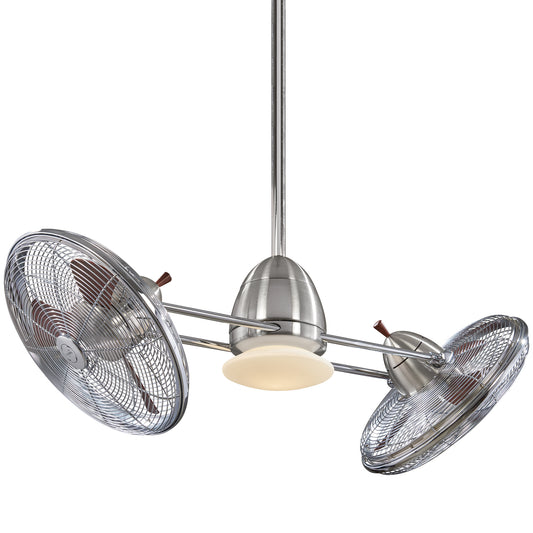














Your Ultimate Ceiling Fan Installation Guide for 2026
Before you even think about grabbing a screwdriver, let’s talk prep. We’ve all been there: a simple ceiling fan installation turns into a weekend-long ordeal because of a few overlooked details. Getting the groundwork right from the start is the single most important thing you can do. This means checking your ceiling box, figuring out the right mount, and knowing what wiring you’re dealing with.
Trust us, a little planning now saves you from a wobbly fan or worse later. Let's make this project not just successful, but fun!
Your Pre-Installation Checklist For Success
Look, we get it. You've unboxed your gorgeous new fan, and you're amped to get it up on the ceiling. But the difference between a smooth Saturday project and a frustrating headache is all in the prep work. Let's walk through the three key checks that guarantee your installation goes off without a hitch. This isn't just a list of steps; it's about understanding why each part is critical for a safe, high-performing fan that you'll love for years.

It's no surprise fans are so popular. The global market is projected to hit a staggering USD 13.3 billion in 2026, and homeowners like you account for over 71% of that. That’s a lot of fans going up, which makes getting the installation right more important than ever.
Confirm Your Electrical Box Is Fan-Rated
First things first: support. The standard plastic electrical box you’d find for a lightweight ceiling lamp just won’t cut it. Ceiling fans are heavy, and they create constant motion and vibration. That’s a recipe for disaster if the box isn’t built to handle the load.
You need to make sure you have a fan-rated electrical box. These are usually metal and must be anchored securely to a ceiling joist or a specialized fan brace.
- How to Check: The only way to know for sure is to take a look. Kill the power at the breaker, remove your old light fixture, and inspect the box. You’re looking for a stamp inside that says "Rated for Fan Support" or something similar.
- What If It's Not Rated? If you don't see that stamp, you must replace the box. This is a non-negotiable safety step. You can find fan brace and box kits at any hardware store, and many can be installed from below the ceiling, so you don't necessarily need attic access.
A secure mounting is everything. That ten minutes you spend checking the box buys you the peace of mind of knowing your fan isn't going anywhere.
Choose The Right Mounting Type
Next up, let's consider your ceiling. Its height and angle will determine exactly how your fan needs to hang to give you the best airflow and look right in the space.
- Flush Mount: This is your go-to for low ceilings (under 8 feet). The fan body snugs up directly against the ceiling, which gives you the most possible headroom.
- Downrod Mount: This is the most common setup for standard ceilings between 8 and 9 feet tall. A short metal pipe, or downrod, drops the fan down to the perfect height for moving air effectively.
- Sloped Mount: Got vaulted or angled ceilings? You'll need a sloped mount adapter. This little piece of hardware lets the fan hang perfectly level, so it doesn't wobble or strain the motor.
For downrod installs, the length of that rod is key. You can find stunning, high-performance fans ready for any ceiling height in our expertly curated collections.
The right downrod isn't just for looks; it ensures your fan has enough clearance to move air efficiently and safely. You want the blades to be at least 7 feet from the floor, but ideally between 8-9 feet for optimal performance.
Choosing the Right Downrod for Your Ceiling Height
| Ceiling Height | Recommended Downrod Length | Resulting Blade Height from Floor |
|---|---|---|
| 8 feet | Flush Mount or 3-4" Downrod | ~7 feet |
| 9 feet | 6" Downrod | ~8 feet |
| 10 feet | 12" Downrod | ~9 feet |
| 12 feet | 24" Downrod | ~10 feet |
| 14 feet | 36" Downrod | ~11 feet |
| 16 feet | 48" Downrod | ~12 feet |
As you can see, matching the downrod to your ceiling height is a straightforward way to guarantee a great result.
Assess Your Wiring Situation
Finally, a quick peek at the wiring will tell you what you’re working with. After shutting off the power at the circuit breaker (always the first step!), take a look inside the electrical box.
At a minimum, you should find three wires: a black wire (hot), a white wire (neutral), and a green or bare copper wire (ground). If you see more, like an extra red wire, that usually means the fan and light can be controlled by separate wall switches.
Getting a handle on this now makes the actual wiring process much less intimidating. For a really deep dive, this How to Install a Ceiling Fan with Light: The Complete DIY Guide is a fantastic resource that covers a ton of different scenarios you might encounter.
Gathering Your Tools for a Smooth Installation
We’ve all been there: teetering on a ladder, halfway through a project, only to realize the one tool you need is back in the garage. For a ceiling fan install, that’s more than just annoying—it can be a real safety hazard.
Getting everything you need together before you start is the single best thing you can do for a smooth, stress-free installation. This isn't just about convenience. Using the right tools, like a proper wire stripper instead of just winging it with pliers, makes for cleaner, safer electrical connections. Let’s get your toolkit sorted out.
The Non-Negotiables
Don't even think about climbing that ladder without these basics. They’re essential for doing the job safely and correctly.
- Non-Contact Voltage Tester: This is your number one safety tool, period. It's a small, pen-like device you'll use to make 100% sure the power is off before you touch a single wire.
- A Good Stepladder: Find a sturdy, A-frame ladder that lets you work at ceiling height without stretching or standing on your toes. A wobbly chair is just asking for trouble.
- Screwdrivers: You’ll need both a Phillips head and a flathead. A multi-bit screwdriver is a great all-in-one option for any DIYer.
- Pliers and Wire Strippers: A pair of linesman’s pliers is perfect for twisting wires together, while a dedicated wire stripper cleanly removes insulation without nicking the copper strands inside.
A non-contact voltage tester costs very little but provides priceless peace of mind. If you buy one thing from this list, make it this. Safety first, always.
Materials and Helpful Extras
With the core tools ready, a few other items will make the job much easier. You’ll also need some basic materials to get the fan wired up and mounted.
First, make sure you have wire connectors (often called wire nuts) to safely join the fan's wires to your home's wiring. A roll of electrical tape is also great for wrapping the connectors for extra security.
If your pre-install check revealed your current ceiling box isn't fan-rated, you absolutely need a new fan-rated brace and box kit. This is non-negotiable for supporting the fan's weight and constant vibration.
When you’re installing a premium fan, cutting corners on the prep work just doesn’t make sense. A stunning centerpiece like the Artemis XL5 fan, which retails for over $1,200, deserves a rock-solid installation. The same goes for the sleek and powerful models in the Aviation fan collection, where statement pieces start around $550. You wouldn't put cheap tires on a sports car; treat your high-end fixture with the same respect by using the right gear.
Wiring Your Fan With Confidence
Alright, let's get to the part of the install that makes most folks a little nervous: the wiring. Seeing a handful of wires hanging from the ceiling can feel intimidating, but we promise it's more straightforward than it looks. It's all about being methodical, putting safety first, and enjoying the process of bringing your new fan to life.
Your first move—and this is non-negotiable—is to kill the power. Head straight to your home's breaker panel, find the circuit for the room you're working in, and flip that switch to OFF. Now, grab your non-contact voltage tester and wave it near the wires in the ceiling. If it stays silent and dark, you're good to go.
This is the most important step of the entire job. Always, always double-check for live power with a voltage tester, even if you're sure you flipped the right breaker. It takes two seconds and guarantees your safety.
Understanding The Basic Wire Colors
With the power confirmed off, it's time to get acquainted with your wires. In most modern homes, the color coding is pretty standard, which makes life a lot easier.
- Black Wire: This is your "hot" wire, bringing power from the breaker.
- White Wire: This is the "neutral" wire that completes the circuit.
- Green or Bare Copper Wire: This is your ground wire—a crucial safety feature.
Your new fan will have a matching set of wires. The job is really just about connecting the like colors: black to black, white to white, and ground to ground. That's the core of it.

Having your tools ready, especially that voltage tester and a good pair of pliers, will make this part of the job go much smoother.
Common Wiring Scenarios
While the basic color-matching works most of the time, you might run into a couple of other common setups. Don't worry, they're just as simple.
If you see a fourth wire (usually red) coming from your ceiling, you're in luck! This means your room is already wired for dual wall switches, one for the fan motor and one for the light. In this case, you'll connect the fan's black wire (motor) to the house's black wire and the fan's blue wire (light) to the house's red wire.
Many modern fans also come with a remote control receiver. This little box is a game-changer if you only have one wall switch but still want to control the fan and light separately. You'll wire the receiver between the house wiring and the fan itself. Just connect the house's black and white wires to the receiver's input side, then connect the fan's output wires by matching the colors as shown in the manual.
If you need a closer look at these setups, our detailed guide on reading a ceiling fan wiring diagram with a remote control will make you a pro in no time.
Securing Your Connections
Making the connections is one thing, but making them secure is what ensures a safe, reliable fan for years to come. This is where wire nuts come in.
Hold the bare copper ends of the wires you're connecting side-by-side. Pop a wire nut over the top and twist it clockwise until it's good and snug—you'll feel the wires inside grabbing and twisting together. Give each wire a gentle tug to make sure it's locked in. You shouldn't see any bare copper peeking out from under the nut.
For a little extra peace of mind, wrap a bit of electrical tape around the base of the wire nut and onto the wires themselves. Once all your connections are solid, carefully tuck the wires back up into the electrical box, being careful not to pinch or put too much strain on them.
A solid, secure wiring job is critical, especially when you're installing a premium model like the gorgeous Artemis IV, which retails for over $800. Taking your time here protects your investment and makes sure your fan runs perfectly from day one.
Mounting the Fan and Attaching the Blades
Alright, the power is off and your wiring is prepped—now for the exciting part where it all comes together. This is where you’ll see your careful planning pay off as the fan finally goes up on the ceiling. It’s a bit of physical work, but trust us, with a steady hand and a sense of adventure, you'll have it mounted before you know it.

The first piece of hardware to go up is the mounting bracket. This simple piece of metal is the anchor for your entire fan, so getting it secured properly is non-negotiable. It attaches straight to that fan-rated electrical box you confirmed earlier.
Go ahead and use the screws and washers that came with your fan; they were specifically designed for the weight and torque. Get them good and tight with your screwdriver. Once you're done, give that bracket a solid tug. It shouldn't budge, wiggle, or give at all. If it does, re-tighten.
Hanging the Motor Assembly
Seriously, grab a friend for this next part. The fan motor is easily the heaviest and most awkward component, and trying to lift it into place while balancing on a ladder is a recipe for disaster. A second set of hands makes this step infinitely safer and less frustrating.
Carefully lift the entire motor assembly up toward the bracket. Most modern fans have a clever design to make this easier, usually a hook or a ball-and-socket system.
- Hook System: Many brackets feature a small, sturdy hook on one side. You can hang the motor assembly directly on this hook, which frees up both of your hands to deal with the wiring. It’s a lifesaver.
- Ball-and-Socket: If you’re using a downrod, you’ll notice the top of it ends in a half-ball. This piece sits snugly into the cupped, or "socket," portion of the mounting bracket.
With the motor hanging securely, you can finish connecting the wires. After that, slide the decorative canopy up to the ceiling, fitting it right over the bracket and wires. Screw it into place to hide all the hardware for that clean, professional look. If you want a better look at the different hardware you might see, our guide on ceiling fan mounting bracket types has some great visuals.
A Pro Tip From the Field: Once the motor is hanging, take a quick second to make sure no wires are pinched between the mounting bracket and the downrod ball. A pinched wire is a classic culprit for electrical shorts and fan malfunctions down the road.
Attaching the Fan Blades
Now for the final transformation: attaching the blades. We know it’s tempting to rush through this, but a little precision here is what separates a silent, steady fan from a noisy, wobbling mess. Most designs have you attach the blades to their brackets (often called blade irons) first, and then mount those assemblies to the motor.
Take your time and follow these tips for a perfectly balanced fan:
- Work on a Flat Surface: Lay out the blades and brackets on a table or the floor. Trying to attach them while they're on the fan is a great way to drop screws and get things crooked.
- Start All Screws First: When attaching a blade to its bracket, get all the screws threaded by hand before you break out the screwdriver. This guarantees everything is perfectly aligned before you tighten it down.
- Mount in a Star Pattern: As you attach the blade assemblies to the motor, install one, then install the one directly across from it. This keeps the motor’s weight distributed evenly and prevents unnecessary strain while you work.
This is especially crucial for high-performance fans. When you’ve invested in a premium model like the Andros Fan, which goes for $899, blade alignment is absolutely key to its powerful, silent airflow. The same goes for a robust, stylish fan like the Barn Fan, priced around $499. You paid for quality, so take these few extra minutes to protect that investment and guarantee a wobble-free fan for years to come.
Balancing for a Wobble-Free Performance
Alright, the hard part is over. The fan is mounted and wired, and you're ready for the moment of truth. This final check is what takes your project from a newly installed fixture to a silent, smooth-running machine.
A little wobble might not seem like a big deal, but it’s more than just an annoyance. Over time, that constant shake can cause extra wear and tear on the motor and lead to distracting rattles.
First things first, head back to your circuit breaker and flip the power back on. Now, grab the remote or walk over to the wall switch and put your new fan through its paces. Run it on every speed, from the lowest setting to the highest, and don't forget to test the light kit. If it's spinning smoothly, you can officially call the job a success!
But if you notice a wobble, don't worry. This is incredibly common and, thankfully, easy to fix.
The Art of Balancing a Wobbling Fan
Just about every quality fan, including ours, ships with a balancing kit right in the box. This little packet is your secret weapon, usually containing a plastic clip and a few small weights with adhesive backing. The whole idea is to find which blade is a little off-balance and add a tiny counterweight to even things out.
Think of the plastic clip as your diagnostic tool. You'll start by sliding it onto the trailing edge of one of the fan blades, right about in the middle. Turn the fan on and watch—did the wobble get better, worse, or stay the same?
- Turn the fan off and move the clip over to the next blade. Fire it up again.
- Keep doing this, one blade at a time, until you find the one where the clip makes the biggest difference. That’s your target.
Once you’ve zeroed in on the problem blade, the next step is to find the perfect spot for the permanent fix.
Fine-Tuning With the Balancing Weight
With your target blade identified, you're going to use the clip to find the sweet spot. Start by moving the clip in small steps along the blade’s edge, working your way from the motor out toward the tip. Test the fan each time you move the clip.
You're hunting for the exact position where the wobble almost vanishes completely. It might take a few tries, so a little patience here really pays off.
When you've found that perfect spot, kill the power one last time. Grab one of the adhesive weights from your kit, peel off the paper backing, and stick it firmly to the top center of the blade, right in line with where the clip was. Pull the clip off, and you're all set!
A perfectly balanced fan isn't just quieter—it's also more efficient. An unbalanced fan wastes energy fighting its own motion, so taking the time to balance it properly ensures you get the maximum airflow and motor longevity you paid for.
Troubleshooting Common Post-Installation Issues
Sometimes other small quirks can show up after an install. Here are a couple of the most common ones and how to sort them out quickly.
- A Humming Noise: If you hear a low hum, especially on lower speeds, it could just be "motor hum." Many fans need a 24-hour break-in period for this to go away on its own. If it sticks around, double-check that all the screws on the motor housing and blades are snug.
- Remote Control Not Working: Before you panic, check the simple stuff—is the battery fresh? If a new battery doesn't solve it, the remote might just need to be re-paired with the receiver in the fan's canopy. Your fan’s manual will have the exact steps for this.
For a deeper dive into the fine art of fan balancing, you might be interested in our guide on how to balance a ceiling fan. It has a few extra tricks for those really stubborn wobbles.
Finally, go ahead and attach any decorative trim rings or canopy covers that hide the last of the mounting hardware. Now, you can step back and admire your work. You've successfully installed a ceiling fan from start to finish, adding comfort, style, and value to your home.
Find a Premium Fan to Elevate Your Space
Think a ceiling fan is just for moving air? Think again. The right fan is the finishing touch that pulls a whole room together, defining its style and making it a place you actually want to be. When you step up to a premium model, you're investing in a different class of comfort and design.
The difference is something you can feel right away. We're talking about better materials, smarter engineering, and motors so quiet you'll forget they're even running. It’s less about just buying a fan and more about choosing a piece of functional art for your ceiling.
Match Your Style With a High-Performance Fan
If you're drawn to a bold, modern aesthetic, the Artemis IV Fan is an absolute showstopper. For $699, its sculptural blades aren't just for looks—they're engineered for incredible airflow. The silent DC motor is the real hero here, delivering flawless performance that makes the price tag well worth it.
Maybe your home has more of a rustic or industrial edge. In that case, the Barn Fan fits right in. Priced at $499, its rugged design and rich, wood-finished blades bring a ton of character to a great room or covered patio. It’s built to last and looks timeless doing it.
You know you've got a quality fan the moment you flip the switch. No wobble, no noise—just powerful, steady air movement. That’s the hallmark of a fan built the right way.
For anyone who wants to bring a bit of that vacation vibe home, the Andros Fan creates a true resort feel for $899. Its large, leaf-shaped blades produce a gentle, widespread breeze that turns any bedroom or living area into a relaxing oasis.
Of course, picking the perfect fan goes beyond just looks. To really get into the nitty-gritty of what separates a good fan from a great one, check out our ceiling fan buying guide for some tips from the pros.
Your Top Ceiling Fan Questions, Answered
Even the best-laid plans can hit a snag. It’s totally normal to have a few questions pop up when you’re in the middle of a project. We get it. Here are some of the most common questions we hear from fellow DIYers, along with our straight-up answers.
How Long Does This Actually Take?
Let's be real—your first time installing anything is always the slowest. If you're just swapping out an old light for a new fan, a handy person can usually get it done in about 1.5 to 3 hours.
But if you’re starting from scratch? We’re talking about installing a new fan-rated box and running fresh wiring from the panel. That’s a bigger job. You should block out anywhere from 4 hours to a full day to do it right.
Can I Put a Fan on a Sloped or Vaulted Ceiling?
Absolutely! Most modern fans are built with this in mind. A lot of our most popular models, like the sleek Chateaux (priced at $349), are designed specifically for vaulted ceilings.
You’ll just need a sloped ceiling adapter, which often comes in the box or can be bought separately. The one thing to double-check is the fan's maximum angle—most can handle a slope up to 30 degrees.
When Should I Just Call a Pro?
While replacing a fan is a great weekend project for many, safety always, always comes first. If you feel even a little hesitant about working with your home's wiring, don't risk it. Call a licensed electrician.
Hiring a pro is non-negotiable if:
- You need to run new wiring from your breaker panel.
- Your house has old aluminum wiring, which requires special handling.
- You have to cut into the ceiling to install a new support brace.
And before you start, it’s always a good idea to see if your area requires permits for minor remodeling work, especially for electrical jobs. A quick check with your local building authority can save you a lot of headaches later.
At Fan Connection, we believe the right fan doesn’t just move air—it completes the room. If you’re looking for a statement piece that delivers on performance, check out our curated collections, including the impressive Artemis XL5 fan, priced over $1,200.


