











Finding Ceiling Fan Repair Near Me Made Simple
That annoying wobble or persistent hum isn’t just a minor nuisance—it’s your fan throwing a tantrum and trying to tell you something. Before you dive down the internet rabbit hole searching for a local repair service, a little bit of fun detective work can often get you straight to the heart of the problem.
Many of the most common issues, from spooky noises to a fan that just won't turn on, have surprisingly simple fixes you can figure out on your own. Let's get this fan party started!
Diagnosing Your Fan Before You Search For Help
When your ceiling fan starts acting up, the first impulse is often to call in a professional. But wait just a minute! Spending a few moments troubleshooting can save you the time and money of a service call you might not even need. Think of it as a quick pre-flight check before calling for backup.
By getting a handle on the symptoms, you can make an informed decision: is this a quick DIY fix or a job that really needs an expert’s touch?
From a slight wobble to a complete standstill, every problem has a story. Most issues fall into just a few categories, and each one has its own list of likely culprits.
Quick Guide: DIY Fix Or Call A Pro
Sometimes it's hard to know where to draw the line. This quick guide should help you figure out if you're dealing with a simple adjustment or something that needs a professional's expertise.
| Symptom | Likely DIY Solution | When to Hire a Professional |
|---|---|---|
| Wobbling Fan | Tighten blade screws, clean blades, use a balancing kit. | If balancing doesn't work or the mounting bracket is loose. |
| Clicking/Scraping Noises | Tighten all visible screws (blades, light kit, canopy). | Grinding, humming, or buzzing from the motor housing. |
| No Power (Fan & Light) | Check the wall switch, remote batteries, and circuit breaker. | If breakers are fine and power is confirmed at the switch. |
| Blades Spin Slowly | Check for drag (turn off and spin by hand), ensure forward/reverse switch isn't stuck. | Often a sign of a failing capacitor or a dying motor. |
| Remote Doesn't Work | Replace the batteries, re-pair the remote to the receiver. | If new batteries and re-pairing fail, the receiver may be bad. |
This isn't an exhaustive list, of course, but it covers the vast majority of problems we see. If you've run through the simple fixes and are still stumped, it's probably time to call for backup.
Common Ceiling Fan Symptoms
Is your fan making a rhythmic clicking noise? That’s a classic sign of a loose blade screw. A low, constant hum, on the other hand, might point to an electrical problem or a capacitor that's on its way out.
Learning to interpret these sounds is key. For example, a loud hum paired with slowly rotating blades is the textbook symptom of a failing capacitor. We have a great resource if you want to learn more about spotting a bad ceiling fan capacitor.
A wobbly fan isn't just annoying; it's a mechanical problem that puts unnecessary stress on the motor and mounting hardware. Over time, this can turn a simple balance issue into a more serious repair job.
This flowchart can help you trace the symptoms back to their source, whether you're dealing with a wobble, a weird noise, or a fan that's completely dead.
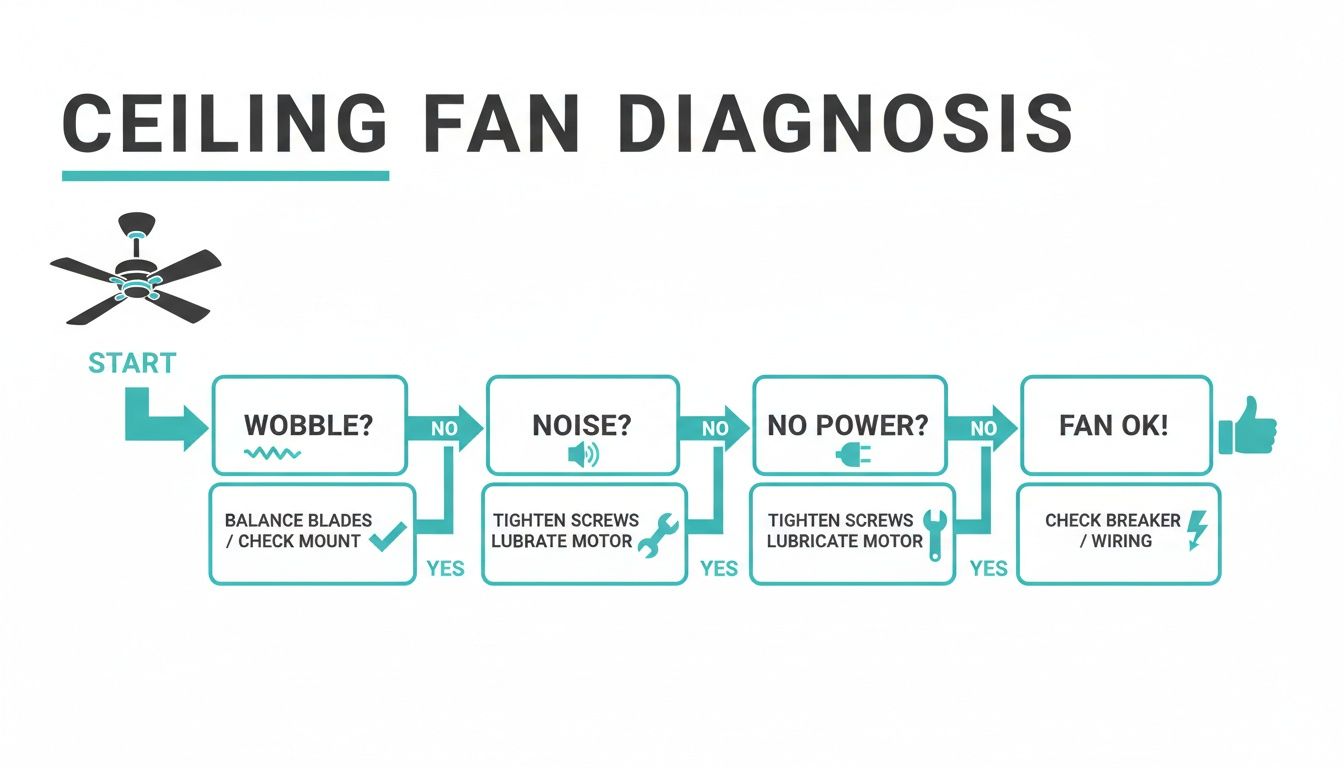
As you can see, troubleshooting always starts with the simplest and most obvious things. Check those blade screws, listen carefully to the sounds, and you’ll be well on your way.
When to Suspect a Deeper Issue
What if your fan is totally unresponsive? No lights, no movement, nothing. This usually points to an electrical issue.
Start with the absolute basics: Is the circuit breaker tripped? Are the batteries in the remote dead? If you've checked those off the list and still have nothing, the problem likely lies deeper—either with the fan’s internal receiver or the wiring in your ceiling.
These quick checks are empowering. If you find a loose screw, you've just saved yourself a service call. And if you suspect a wiring problem or hear the motor grinding, you'll have specific, useful information to share with a technician, which means a faster and more accurate repair.
A Practical Guide to Safe Fan Troubleshooting
Alright, your fan is acting up—wobbling, clicking, or making a weird hum. Before you even think about grabbing a ladder, we need to talk about safety. This is the non-negotiable first step. No shortcuts allowed!
Head straight to your home's circuit breaker panel. Find the breaker for the room with the fan and flip it to the "OFF" position. For good measure, I always flip the fan's wall switch off, too. It’s a simple double-check that ensures there's absolutely no power going to that fan.
Tackling The Wobble Head-On
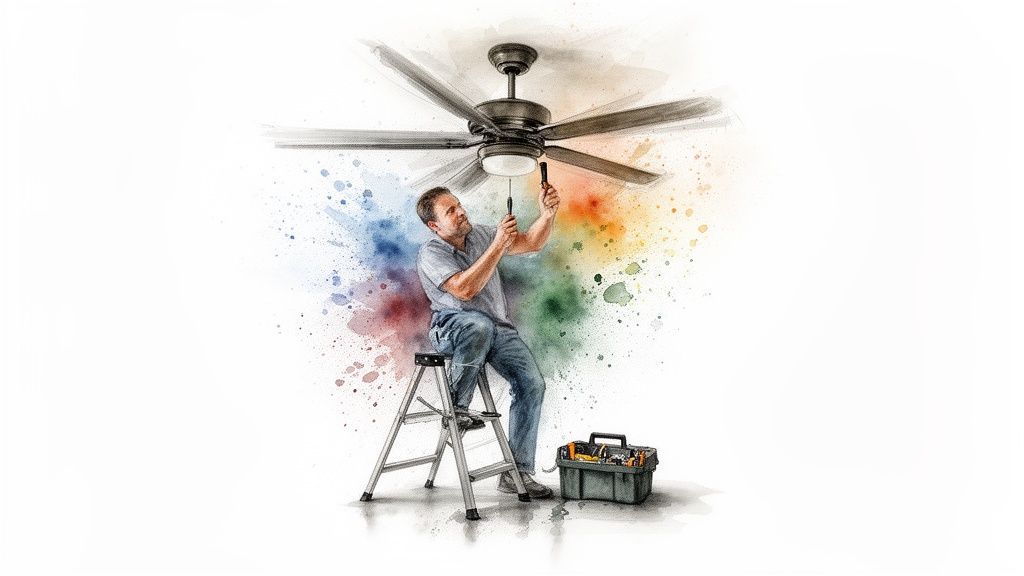
A wobbly fan is easily the most common issue we see, and thankfully, it's often the simplest fix. You'll need a sturdy stepladder and a screwdriver. Your mission is to check every screw connecting the blades to the motor.
- Blade Bracket to Motor Screws: These are what hold the metal "arms" (the blade brackets) onto the fan's motor housing. Get up there and give each one a firm twist to make sure it's snug.
- Blade to Bracket Screws: Now, check the screws attaching the actual fan blade to its metal bracket. Nine times out of ten, a loose screw right here is the culprit behind that annoying, rhythmic wobble.
While you’re up there, give the blades a quick wipe-down. It's surprising, but a thick, uneven layer of dust can be just enough to throw the whole system out of balance.
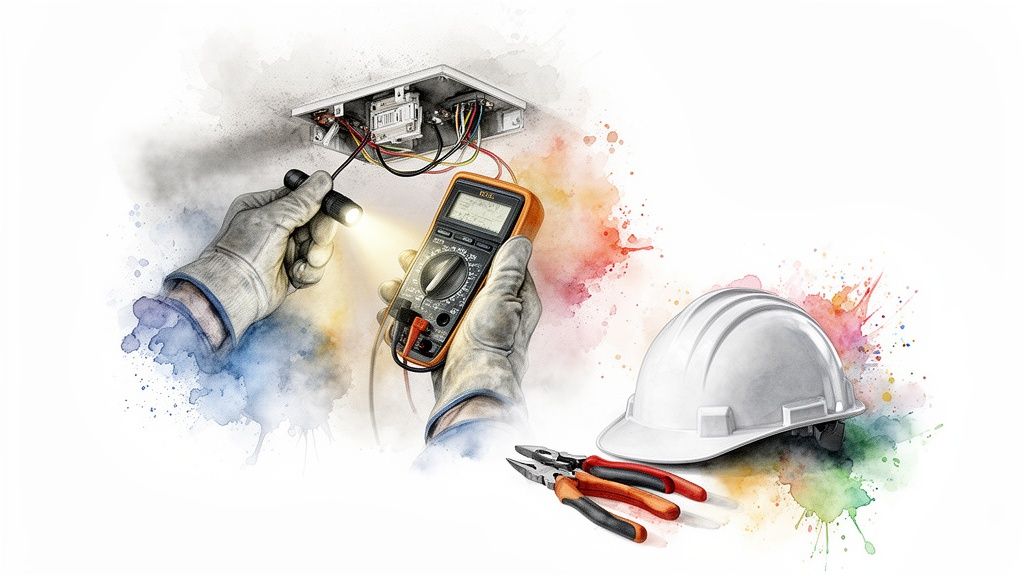
Safety First Always: Before touching any part of the fan, use a non-contact voltage tester to confirm the power is truly off. This simple tool is a must-have for any homeowner and provides absolute peace of mind.
Inspecting The Canopy And Mounting
If the blades are tight but the wobble persists, the next place to investigate is where the fan meets the ceiling. The canopy is that decorative cap hiding all the mounting hardware and wires.
Try to gently wiggle the canopy. Does it move at all? If you feel any play, the screws holding it up might be loose. You'll likely need to loosen one or two set screws to lower the canopy and expose the mounting bracket underneath. This bracket is what physically secures the entire fan to the electrical box in your ceiling.
Check that this bracket is bolted firmly to the box. Then, check the box itself. If the whole box moves when you push on it, you’ve found a bigger problem. Older homes sometimes have ceiling boxes that weren't rated to support a fan's weight and movement. A loose box is a major safety hazard, and at this point, it’s time to call for a professional to find ceiling fan repair near me.
A Quick Peek At The Wiring
With the power confirmed off and the canopy lowered, take a quick visual look at the wiring. You're looking for anything obvious—wire nuts that look loose, or any wires with insulation that appears frayed or blackened. This can be a sign of a bad connection causing intermittent power problems.
Don't start disconnecting things unless you really know what you're doing. The goal is just to spot a clear red flag. If you see anything that looks burnt or damaged, that's your cue. The problem is beyond a simple DIY fix, so put everything back together and let an expert take it from here.
How To Find A Trusted Local Repair Professional
So, you’ve tried the troubleshooting tips and your fan is still on the fritz. It’s time to call in the cavalry. But sifting through online listings to find a reliable technician can feel like a chore in itself. You need someone who not only knows their way around a fan's motor but is also trustworthy, professional, and won't leave you hanging.
When you start searching for "ceiling fan repair near me," you'll generally find two types of pros: licensed electricians and experienced handymen. Electricians are your best bet for anything involving your home's wiring, a faulty switch, or a motor that's completely given up. On the other hand, a good handyman is often perfect for mechanical issues, like a persistent wobble or replacing a tricky fan assembly.
Where To Look For Pros
A great place to start is on reputable platforms where you can read through verified customer reviews. Think websites like Angi, Thumbtack, and even Yelp—they can be goldmines for honest local feedback. You’re looking for technicians who consistently get high marks for being professional, showing up on time, and charging fair prices.
It’s also a good sign when a pro has a solid online presence. If you're curious about how the best local businesses get to the top of your search results, you can explore these insightful local SEO strategies tailored for home service companies. It gives you a little peek behind the curtain.
Vetting Your Potential Hire
Once you've got a shortlist, it’s time to do a little interviewing. Don't be shy about asking questions—a true professional will be happy to answer them. This is how you separate the real experts from the rest.
Here are a few questions I always recommend asking:
- "Do you have experience with my specific fan brand?" Some brands have unique parts or quirky wiring. Finding someone who’s worked on your model before is a huge plus.
- "Are you licensed and insured?" This one is non-negotiable. Liability insurance is there to protect you and your property if an accident happens.
- "How do you structure your fees?" Get the details. Ask if they charge a flat rate for the job or an hourly rate, and be sure to find out if there's a minimum service call fee.
- "Do you guarantee your work?" A reputable technician will always stand behind their repairs with some kind of warranty on their labor.
A professional's willingness to provide a clear, written estimate before starting any work is a hallmark of transparency and good business practice. Avoid anyone who gives you a vague quote or pressures you to commit on the spot.
By taking a few extra minutes to vet your pro, you’re not just hiring someone to fix a fan; you’re investing in peace of mind. And if you decide a repair isn't worth it and a full replacement makes more sense, our guide on top-rated ceiling fan installation services close to me has some great insights for finding a qualified installer. The right person will get your fan running smoothly, safely, and efficiently.
Repair or Replace? Let's Do the Math
You've done the troubleshooting, the technician has given you a quote, and now it’s decision time. Do you put money into fixing your old fan, or is it a better move to just start fresh with a new one?
Honestly, this usually comes down to a simple cost-benefit reality check. When you start looking for "ceiling fan repair near me," you’ll find the costs can climb pretty fast. You’re almost always going to have a service call fee—that's typically between $75 and $150 right off the bat—before parts and labor are even factored in.
If you're dealing with something major, like a fried motor or a bad receiver, the total bill can easily creep up to $200 or more. When you see that number, it’s a good moment to pause and really think about where your money is going.
The 50 Percent Rule: A Quick Gut Check
Here's a handy rule of thumb I always recommend: the 50 percent rule. It’s simple. If the repair quote is more than half the cost of a comparable new fan, it's almost always smarter to replace it.
Think about it this way: if the repair is going to cost you $250, but you could get a jaw-dropping, modern fan for $400, why sink that much cash into an old appliance that might just break again? A brand-new fan comes with a full warranty, the latest tech, and years of guaranteed smooth sailing.
Choosing to upgrade isn't just about replacing a broken appliance. It's an investment in better performance, lower energy bills, and a style that can completely transform a room. You're turning a frustrating problem into a genuine home improvement.
The Hidden Perks of an Upgrade
Beyond the simple math of repair vs. replacement, there are other big factors to consider. Ceiling fans today are lightyears ahead of the models from ten years ago. The benefits you get from a new, quality fan add real, long-term value to your home.
- Serious Energy Savings: Modern fans, especially those with DC motors, are incredibly efficient—up to 70% more efficient than older AC models. That difference shows up directly on your monthly electricity bill.
- Whisper-Quiet Operation: Forget the rattling and humming of old fans. Advanced engineering means new models are practically silent, so you get the breeze without the annoying background noise.
- Smart Home Ready: Many new fans come with smart features built-in. You can control them with a remote, your phone, or even your voice through Alexa or Google Assistant. It’s a level of convenience you'll quickly wonder how you lived without.
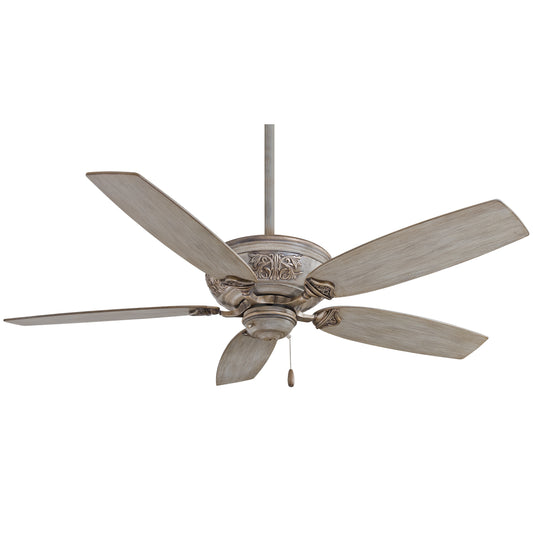
- A True Style Statement: A new fan is a chance to add a design centerpiece to your room. A stunning model like the Minka-Aire Artiste, which sells for over $400, is more like functional art than just an appliance.
This isn't just a niche trend. The ceiling fan market is growing fast, valued at USD 11.39 billion in 2024 and expected to hit USD 12.44 billion in 2025. That growth is a direct reflection of homeowners realizing the value of high-quality, modern fans. You can read more about these market trends and their implications for homeowners.
So while a quick repair might feel like the cheaper fix at the moment, a full replacement is often the more intelligent long-term investment. You get better comfort, a fresh look, and efficiency that a patched-up old fan just can't deliver.
Time for an Upgrade? Transform Your Space With a New Fan
If that repair quote made your jaw drop, it might just be the push you need to consider a full-on upgrade. Choosing to replace your fan isn't just about solving a problem—it's a golden opportunity to completely transform the look, feel, and even the smarts of your room.
Forget thinking of a ceiling fan as just a basic appliance. The right one is functional art.
Modern premium fans, which usually start around $300, are designed to be statement pieces. They bring together sleek, beautiful designs with technology that older models just can't touch. This is your chance to move from a purely functional item to an integrated part of your home's design and comfort.
More Than Just a Pretty Fan
Stepping up to a high-end model brings real, tangible benefits you'll notice every day. The single biggest leap forward is in the motor technology. Premium fans almost always feature Brushless DC (BLDC) motors, and frankly, they're engineering marvels.
What does that mean for you?
- Whisper-Quiet Operation: That persistent, annoying hum from old AC motor fans? Gone. BLDC motors are practically silent, which makes them perfect for bedrooms, nurseries, or any quiet space.
- Incredible Energy Efficiency: These motors are incredibly efficient—up to 70% more than their predecessors. That translates directly into lower electricity bills, year after year.
- Precision Control: Instead of the old three-speed pull chain, you get a much wider range of settings, often six or more, letting you dial in the exact airflow you want.
This collection of 3-blade fans is a great example of the modern, minimalist designs that often house this powerful technology.
You can see how the designs here prioritize clean lines and aerodynamic shapes. A fan like this complements a room's decor instead of cluttering it up.
Step Into the World of Smart Home Integration
Maybe the most exciting part of upgrading is the seamless smart home integration. A connected fan isn't a gimmick anymore; it's becoming a central piece of a modern, automated home. The smart ceiling fan market is absolutely booming—it's expected to hit USD 993.6 million by 2025 as more people demand convenience and efficiency.
These fans work with mobile apps, voice assistants like Alexa and Google Home, and other smart systems. This allows for things like automated temperature adjustments and true climate control. Discover more insights about this growing trend in smart home technology.
Upgrading to a premium fan isn't just a replacement—it's an investment in your home's comfort, style, and intelligence. You're not just fixing a wobble; you're elevating your entire living experience.
Of course, making the right choice means balancing style, room size, and the features you really want. To help you sort through all the great options, check out our guide on how to choose a ceiling fan that perfectly suits your space and lifestyle.
Common Questions About Ceiling Fan Repair
Even after a bit of troubleshooting, it’s completely normal to have some questions rattling around before you decide what to do next. When homeowners start searching for "ceiling fan repair near me," we find the same practical concerns pop up again and again.
Let’s tackle some of the most common ones we hear.
How Much Does It Typically Cost To Repair A Ceiling Fan?
This is always the first question, and honestly, it all comes down to what’s actually wrong with the fan.
For a simple service call—maybe a quick diagnosis or a minor adjustment—you’re likely looking at a cost of $75 to $150.
But if you’re dealing with a more serious issue, like a burnt-out motor or a fried receiver in a higher-end fan, the total cost for parts and labor can easily climb over $300. This is why it’s so important to get a detailed, written quote before a technician starts any work. No one likes a surprise on the final bill.
Can I Replace A Ceiling Fan Myself?
You absolutely can, but there’s a big "if." If you have some basic electrical experience and feel confident working on a ladder after shutting off the power at the breaker, it's a very doable DIY project. The wiring is usually already there, which simplifies things.
That said, if you have any hesitation about handling wires or if the ceiling box feels a bit wobbly, don't risk it. Calling a licensed electrician is always the smartest, safest route. A little extra cost is well worth the peace of mind.
Why Is My Fan Making A Clicking Or Grinding Noise?
Those sounds are your fan's way of telling you what’s wrong. Listen closely.
A rhythmic clicking sound is almost always a mechanical issue. It’s usually something simple, like a loose blade screw or a blade bracket that’s slightly bent and tapping the motor housing with every rotation.
A grinding noise, however, is a much bigger deal. That sound almost always points to failing bearings inside the motor. This isn’t a quick fix—it’s a clear sign the motor is dying and you’ll need a new fan soon.
If your fan's repair cost is more than 50% of the price of a new, comparable fan, replacement is the more financially savvy decision. Investing that money in a modern, efficient model is a better long-term value.
Is It Cheaper To Repair Or Replace An Old Ceiling Fan?
While a quick repair might seem cheaper upfront, replacing an older fan is often the smarter financial move in the long run. The entire industry is shifting toward ultra-efficient models. For years, standard fans were the norm, but now there's a huge push for fans with BLDC (Brushless Direct Current) motors because they're incredibly quiet and save a ton on energy.
You can learn more about the ceiling fan market shift to see why an upgrade makes so much sense. When you invest in a new, stylish fan like the Minka-Aire Artemis XL5 (which often sells for more than $800), you’re not just solving a problem—you're getting a brand new warranty, better performance, and lower energy bills for years to come.
Ready to turn a frustrating repair into a stunning room upgrade? At Fan Connection, we offer a curated collection of premium ceiling fans designed to elevate any space.
Browse our collection of statement-making ceiling fans today!


