



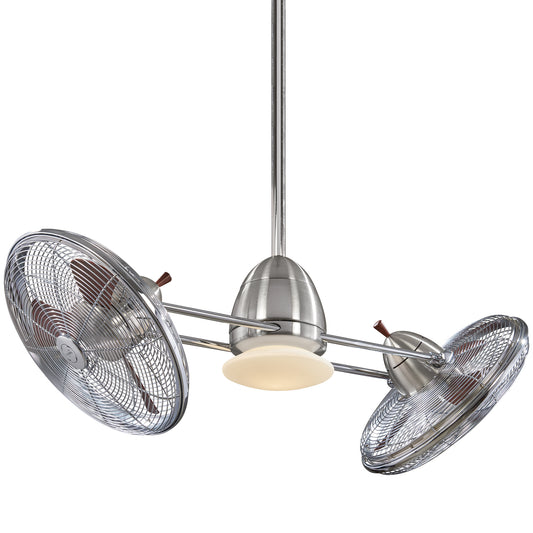














The Ultimate Guide to Ceiling Fans With Remote Control
Tired of fumbling with those clunky pull chains? Imagine upgrading your home's comfort with the simple press of a button. Modern ceiling fans with remote control do just that, swapping awkward reaching for effortless control over airflow and lighting. It’s a small change that makes a huge difference, and honestly, it's just plain fun to have that kind of power at your fingertips.
The Effortless Upgrade to Modern Comfort

The jump from a traditional pull-chain fan to one with a remote is more than just a little perk—it completely changes how you interact with your room. Think about it: instead of stumbling out of a warm bed or leaving the couch, you can tweak your comfort from right where you are. That immediate, easy control is the real magic of today's best ceiling fans.
This guide will walk you through the world of sophisticated ceiling fans with remote control. We'll look at how this technology elevates everything from your daily routine to your home's design, making it a must-have for modern living.
Why Is a Remote Control a Game Changer?
A remote isn't just another gadget to lose in the couch cushions; it's the key that unlocks your fan's full potential. It makes operation a breeze and adds a whole new layer of features that pull chains could only dream of. For anyone who values ease of use, clean design, or modern functionality, the benefits are impossible to ignore.
Here’s why this feature makes such a big impact:
- Unmatched Convenience: Adjust fan speed or lighting from your couch, bed, or dinner table. No more interruptions.
- Enhanced Accessibility: For rooms with soaring ceilings or for anyone with mobility challenges, a remote makes operating the fan safe and simple. No stretching or straining required.
- Streamlined Aesthetics: Ditching the pull chains gives you a cleaner, more minimalist look that just works with contemporary decor. The sleek, beautiful lines of a fan like the Artemis IV, priced over $700, are kept pure and uninterrupted.
A remote control instantly brings a ceiling fan into the 21st century. It turns a simple appliance into an integral part of your room's atmosphere and function. It’s the difference between a basic tool and a smart solution.
To put it simply, here's a quick look at why a remote-controlled fan is a worthwhile upgrade.
Why a Remote Control Ceiling Fan Is a Smart Investment
| Key Advantage | Benefit for Your Home and Lifestyle |
|---|---|
| Instant Control | Fine-tune your comfort from anywhere in the room without getting up. |
| Safety and Accessibility | Ideal for high ceilings and a safe option for children or those with limited mobility. |
| Clean, Modern Look | Eliminates dangling pull chains for a sleek, uncluttered design. |
| Advanced Features | Unlocks functions like dimming, timers, and seasonal blade direction reversal. |
This table shows that you're not just buying convenience; you're investing in a more comfortable, accessible, and stylish home.
More Than Just On and Off
The real value pops when you look beyond basic power and speed. Modern remotes open the door to a host of advanced features. Premium fans, like those in the powerful Aerovon collection which includes models well over the $300 mark, often come with options for dimming the lights, reversing the blade direction for winter, and even simulating a natural, variable breeze.
These aren't just gimmicks—they offer real, tangible benefits. Dimming the lights sets the perfect mood for movie night, while reversing the fan helps push warm air down in the winter, which can help trim your heating bills. You just don't get that level of control with old-school manual fans, making the investment in ceiling fans with remote control a smart move for any savvy homeowner.
How Your Remote and Fan Communicate
Ever wondered about the magic behind your ceiling fan remote? You press a button, and without a single wire connecting the two, your fan whirs to life. It’s not sorcery, but it is a pretty neat, invisible conversation happening right over your head, and it’s the secret behind the convenience of a ceiling fan with remote control.
Think of it like a special key for a single lock. Your remote is the key, constantly sending out a unique signal. Tucked away inside the fan’s canopy—that's the part flush with the ceiling—is a small receiver, which acts as the lock. This receiver is always listening, but it’s programmed to respond only when it hears the exact signal from its matching remote.
The Two Languages of Remote Control
This "conversation" between your remote and fan happens in one of two ways: either with Radio Frequency (RF) or Infrared (IR). While both get the job done, they work very differently, and understanding the distinction can make a big difference in your day-to-day use.
Radio Frequency (RF) - The Go-Anywhere Signal
RF is, by far, the most common technology you'll find in modern ceiling fans. It works by sending signals on radio waves, just like your car's key fob or a garage door opener.
- No Line of Sight Needed: The biggest perk of an RF remote is that you don't have to aim it. The signal easily passes through walls, furniture, and even ceilings. You can be in the next room and still turn the fan off.
- Unique Frequencies: RF remotes are designed to prevent crosstalk. You can set them to a unique frequency so you don't accidentally control the living room fan when you're in the bedroom. This is a lifesaver in open-concept homes.
This flexibility is what makes RF remotes so incredibly practical. You just press the button and it works. It’s why you’ll see premium fans, like the sleek models in our Axis collection starting over $400, using RF technology almost exclusively. It's simply more reliable and user-friendly.
Infrared (IR) - The Direct Approach
IR technology, on the other hand, uses a beam of invisible light to send commands, exactly like the remote for your TV. For it to work, you need a clear, direct line of sight from the remote to the fan's receiver.
While it works, IR is definitely considered older technology for ceiling fans these days. If you find yourself having to point the remote directly at the fan for it to work—and getting frustrated when something blocks the path—you're almost certainly using an IR system.
This limitation is precisely why most quality brands have moved on from IR. If you're looking for seamless, no-fuss control, RF is the undisputed winner. You can see just how far the technology has come in our deep dive on remote control ceiling fan technology.
Preventing Crossed Signals with DIP Switches
So, what’s to stop your remote from turning on your neighbor’s fan, or the fan in the room next door? The clever solution is a tiny set of components called DIP switches.
These DIP (Dual In-line Package) switches are just a small bank of simple on/off switches. You'll find one set inside the remote's battery compartment and another inside the fan's receiver. By setting the switches on both the remote and the receiver to the exact same pattern, you create a private, coded channel just for them.
Think of it as giving your fan and remote a secret handshake. Only the remote that knows the specific handshake can give the fan a command. It’s a beautifully simple system that ensures your signal goes to the right fan, every single time.
Why This Matters for Your Home:
- Multiple Fans, No Problem: If you have fans in two different bedrooms, just set each fan and remote pair to a different DIP switch code. The master bedroom remote will only ever control the master bedroom fan.
- One Remote to Rule Them All: On the flip side, you can set multiple fans to the same code. This is perfect for large great rooms or open-plan living areas where you have two fans that you want to operate in unison from a single remote.
This pairing method is standard practice, especially for nearly all modern DC motor fans which come with a remote right out of the box. It’s a core feature that makes living with multiple ceiling fans with remote control completely frustration-free.
Beyond On and Off: What a Modern Remote Can Really Do
Let's be real—the basic functions of a ceiling fan with remote control are just the starting point. Today’s remotes do so much more than just power on the fan. They’re the command center for your room’s entire atmosphere, offering a level of control that makes old-fashioned pull chains feel like ancient history.
When you invest in a quality fan, you're not just buying air movement; you're getting a tool to perfectly craft your environment. Let's dig into the game-changing features that truly elevate your comfort and show why a model over $300 is often a smart upgrade.
Year-Round Efficiency With Fan Direction Reversal
One of the most valuable buttons you'll find on a modern remote is for fan direction reversal. It’s a simple idea with a huge impact on your home's comfort and energy bills, changing how air circulates depending on the season.
- Summer Mode (Downdraft): In warm weather, you want the blades spinning counter-clockwise. This pushes cool air straight down, creating that wonderful wind-chill effect that can make a room feel degrees cooler.
- Winter Mode (Updraft): When it gets cold, you flip the switch for the blades to spin clockwise. This pulls cool air up and pushes the warm air that naturally collects near the ceiling back down along the walls. This process, known as destratification, helps your heater work more efficiently.
With just a press of a button, your fan goes from a summer-only appliance to a year-round energy saver. No more climbing a ladder to flip a tiny switch on the motor.
Create the Perfect Mood With Light Dimming
Another must-have feature is integrated light dimming. Forget being stuck with a single, harsh overhead light. With a dimmable LED, your remote lets you dial in the brightness for any activity or time of day.
Think about dimming the lights for a cozy movie night or setting a soft, warm glow for a relaxing dinner. Then, you can bring them to full brightness when you need to read or work. It’s an effortless way to set the scene.
The ability to fine-tune both airflow and lighting from one device is the hallmark of a premium fan. It consolidates control and gives you complete command over your environment's look and feel.
This level of control is standard on sophisticated models like the stunning Artemis IV from Fan Connection, which pairs its powerful motor with a fully dimmable light. At over $700, it’s a perfect example of how high-end function and beautiful design can come together.
Set-It-and-Forget-It Convenience With Timers
Ever fall asleep with the fan running, only to wake up freezing in the middle of the night? That’s exactly what the timer function is for. It lets you schedule the fan to turn off automatically after a set time, usually in one, three, or six-hour increments.
This isn’t just about convenience—it’s smart energy saving. You get to enjoy a cool breeze as you drift off to sleep, knowing the fan will shut itself down later without wasting electricity or leaving you too cold.
It's amazing how a simple handheld device can send all these different commands to your fan.

With just a click, the remote sends a signal, and your fan gets to work.
Mimicking Nature With Variable Breeze Modes
One of the most interesting features you’ll find is the variable breeze mode, sometimes called "Natural Breeze." Instead of a constant, predictable airflow, this setting tells the fan to automatically cycle through different speeds.
The result is a gentle, fluctuating breeze that feels a lot like a natural wind. It's a subtle but incredibly relaxing feature, perfect for a bedroom or a quiet living space. It keeps the air from feeling monotonous and is one of those small details that makes a huge difference in your overall comfort, turning any room into a true retreat.
Integrating Your Fan Into a Smart Home
While a handheld remote is a fantastic convenience, the next evolution in home comfort is giving your ceiling fan a voice and a brain. This is where smart home integration steps in, turning your fan from a simple appliance into a connected, responsive part of your daily routine. It's not just a techy gimmick; it's about making your home work for you.
The big leap from a standard remote to a smart fan is all about one thing: connectivity. By adding Wi-Fi to a ceiling fan with remote control, it can join your home network. This simple step unlocks a whole new world of control that goes way beyond the buttons on a physical remote.
Welcome to the Connected Home
Once your fan is online, you can control it from literally anywhere using a dedicated smartphone app. Picture this: you're stuck in traffic on a sweltering day. Just pull up the app and turn the fan on, so you walk into a cool, comfortable home. That’s a level of peace of mind and convenience a physical remote, limited by its range, just can’t touch.
But the real magic happens when you connect your fan to a smart home ecosystem. Smart fans are designed to work seamlessly with voice assistants like Amazon Alexa and Google Assistant.
- Hands-Free Control: You’re settled on the sofa, and a guest mentions it's a bit warm. Instead of fumbling for the remote, you can just say, "Alexa, set the living room fan to medium." It's that easy.
- Creating Routines: You can build automated "routines" that tie multiple actions together. For example, a "Goodnight" routine could dim your lights, lock the doors, and set your bedroom fan to a gentle, low speed—all from a single command.
This kind of integration is quickly becoming a must-have for modern homeowners. The demand for connected devices is surging, with the overall ceiling fan market projected to hit USD 18.1 billion by 2035. Many of these smart fans rely on this technology for their advanced features, so a solid understanding of WiFi for IoT can be really helpful.
A Future-Proof Investment
Choosing a smart fan is a forward-thinking move. These models blend the latest in connectivity with top-tier performance, often including ultra-efficient DC motors that save you money on your energy bills. They are designed to be part of a bigger, smarter home environment.
A smart fan doesn't just respond to your commands; it anticipates your needs. Scheduling, voice control, and integration with other smart devices create a home that is truly intuitive and personalized.
Models like the sleek and powerful Apex from Fan Connection, priced over $400, are built exactly for this connected lifestyle. It marries a high-performance DC motor with built-in Wi-Fi, giving you total control via app, voice, or the included remote. This combination makes it a powerful, future-proof addition to any modern space. For more ideas on what’s possible, check out our guide on ceiling fans with smart home integration options.
Ultimately, picking a ceiling fan with remote control and smart capabilities is more than just an upgrade. It’s an investment in a lifestyle of ease and automation, ensuring your home stays comfortable, efficient, and perfectly in sync with your life.
Finding the Perfect Remote Control Fan for Any Space

Choosing the right ceiling fan with a remote control isn't a one-size-fits-all deal. The fan that works wonders in your sprawling living room would be totally wrong for a cozy bedroom or a breezy porch. It’s all about finding that perfect balance between style and performance for each specific space.
This is where having a remote changes everything. Think about it: dimming the lights for movie night without leaving the couch, tweaking the fan speed from bed, or firing up the patio fan the second you step outside. It’s about making your home’s comfort completely effortless, room by room.
For the Living Room or Great Room
Your living room or great room is the heart of the home, and it needs a fan that can keep up. These big, open areas with high ceilings demand serious air movement and a fan that can double as a stunning centerpiece.
A powerful model like the Artemis XL5, priced over $800, is built for exactly this job. Its massive blade span is designed to circulate air across a wide area, eliminating stuffy corners and keeping everyone comfortable. In a room this size, a remote is non-negotiable—it lets you make adjustments on the fly without ever leaving your seat.
In a large room, a remote isn't a luxury—it's essential. It puts you in complete control of a powerful fixture that's otherwise out of reach, ensuring comfort and style are always just a click away.
This kind of convenience is a big reason why modern fans have become so popular. The global ceiling fan market is expected to hit USD 17.98 billion by 2034, and residential homes account for a whopping 71.81% of that. It just goes to show how much people value the everyday ease that features like remotes bring. You can see the full breakdown in this market analysis from Fortune Business Insights.
For the Master Bedroom
Your bedroom is your sanctuary, so the last thing you want is a noisy, rattling fan ruining the vibe. The perfect bedroom fan should be whisper-quiet, stylish, and easy to control without getting out from under the covers.
A sleek, quiet fan with an efficient DC motor is the way to go here—they’re known for their nearly silent operation. The Axis Collection, with models starting over $400, perfectly blends that quiet performance with a clean, modern look.
When you're shopping for a bedroom fan remote, look for these game-changing features:
- Multiple Speeds: To dial in that perfect, gentle breeze for sleeping.
- Light Dimming: For setting a soft, relaxing mood before you turn in.
- Timer Function: So you can drift off with the fan on and have it turn off automatically later.
Having all that control in the palm of your hand makes a huge difference in creating a truly restful space. For more ideas, check out our guide on where to buy modern ceiling fans with remote control for any room style.
For Covered Patios and Porches
Bringing the comfort of a ceiling fan outside means choosing a model that can handle the elements. For covered porches, patios, and sunrooms, you’ll need a fan that is damp-rated. This means it’s built to resist humidity and moisture, so it won’t warp, rust, or short out.
The Anywhere collection was designed specifically for these kinds of spaces. Starting at over $300, these fans feature durable finishes and tough construction to bring indoor comfort to your favorite outdoor spot.
A remote is especially handy out here. Whether you’re grilling with friends or just enjoying a quiet morning coffee, you can adjust the airflow in an instant as the weather changes, keeping your outdoor oasis perfectly comfortable all day long.
A Practical Guide to Installation and Troubleshooting
Your new fan is here, and you're ready to get that breeze going. Whether you’re a weekend DIY warrior or you’ve hired a pro, putting up a ceiling fan with a remote control is pretty straightforward once you know what to look for. We’ll walk you through the key steps and help you dodge the usual snags, so your installation is a success from the get-go.
Before you even think about opening the box, you have to tackle the most important safety check: making sure your ceiling has a fan-rated electrical box. This is non-negotiable. A standard light fixture box just can’t handle the weight and motion of a spinning fan.
With that confirmed, the physical assembly is mostly about following directions. For the remote to work, your main job will be getting the receiver installed correctly.
Your Pre-Installation Checklist
A little prep work goes a long way. Run through this quick checklist before you start, and you'll save yourself a ton of potential headaches down the road.
- Confirm a Fan-Rated Box: Seriously, double-check it. The box needs to be properly braced and marked for fan support. If it's not, you'll need to replace it before you do anything else.
- Secure the Receiver: The remote's receiver is a small unit that gets wired and then neatly tucked into the fan's canopy—that's the decorative cover that sits flush against the ceiling. Just be careful not to pinch any wires when you slide it all together.
- Pair the Remote: Most remotes need to be "synced" with their receiver. This is usually as simple as setting matching DIP switches on both units or pressing a specific button sequence.
Solving Common Remote Control Hiccups
Even with a perfect install, you might hit a snag. Don’t sweat it—most issues are surprisingly easy to fix. Here’s a quick guide to the most common problems we see.
Problem: The Fan Isn't Responding
This is the number one call we get, and thankfully, it's often the simplest fix. Before you start to worry, try these steps first.
- Check the Batteries: It sounds almost too obvious, but you’d be surprised how often this is the culprit. Always start with a fresh set of batteries.
- Verify Power: Make sure the circuit breaker is on. Also, if there’s a wall switch for the fan, it needs to be flipped to the 'on' position for the remote to work.
- Re-Sync the Remote: Sometimes the remote and receiver just lose their connection. Follow the instructions that came with your fan to re-pair them. This usually involves cutting the power to the fan, turning it back on, and then immediately pressing a specific button on the remote.
Think of a lost sync like a pair of walkie-talkies getting set to different channels. Re-syncing just puts them back on the same frequency so they can talk to each other again.
Problem: The Lights Flicker When Dimmed
If your fan’s lights are flickering, the issue is almost always an incompatible dimmer switch on the wall. Remote-controlled fans with built-in dimming already have the right technology in the receiver. If you leave an old-school wall dimmer in the circuit, it will fight with the fan’s receiver, causing that annoying flicker.
For a deeper dive into the wiring, our guide on the ceiling fan wiring diagram with a remote control is a great resource.
The fix is easy: remove the incompatible wall dimmer. Replace it with a simple on/off switch and let the remote handle all the dimming. This will give you smooth, flicker-free light every time.
Frequently Asked Questions
Even after seeing all the benefits, it's natural to have a few lingering questions about making the jump to a ceiling fan with remote control. Let's tackle some of the most common ones we hear so you can feel great about your choice.
Can I Add a Remote Control to Any Ceiling Fan?
While you can sometimes add a universal remote kit to an older pull-chain fan, it’s not always the simple weekend project you might hope for. The real trick is making sure the receiver unit actually fits inside the fan's canopy and that the wiring is compatible.
For guaranteed performance and to get all the cool features like light dimming and special breeze modes, we always point people toward an integrated model. Products like the Breeze collection, with fans over $300, are built from the ground up so the remote and fan work perfectly together, right out of the box.
What Happens If I Lose My Ceiling Fan Remote?
It’s a common fear, but don't worry—a lost remote isn't the end of your fan. If yours goes missing, you’ve got a couple of options. Most manufacturers, including the brands we carry at Fan Connection, sell direct replacements.
For smart fans, your phone becomes the backup! The fan's app gives you full control over every function, so you’re never left without a way to adjust your comfort.
Many fans also include a basic wall switch for an extra layer of control. If you get stuck trying to find the right replacement, our guide on finding a replacement fan remote control can help you sort it out.
Are Ceiling Fans With Remote Controls Energy Efficient?
Absolutely. In fact, many of the best models with remotes are built with modern DC motors, which use up to 70% less energy than the old-school AC motors you might be used to.
The remote itself helps you be more efficient, too. It makes it dead simple to use energy-saving functions like timers or just to turn the fan off the second you leave a room. No more wasted electricity, and lower bills to boot.
Ready to feel that effortless comfort for yourself? Take a look through the collections at Fan Connection and find the perfect remote-controlled fan to upgrade your home.


